
收银机或掌中宝的小票打印机怎么设置
WIN的收银机下载安装驱动
内置小票机驱动:https://upanpan.lanzouh.com/ilgnKjheiqj
芯烨官网:https://www.xprinter.net/companyfile/6/ 佳博官网:https://cn.gainscha.com/qudong.html 爱印互联:http://aiyinnet.com/down/down-6.html 爱宝驱动:http://www.biash.com/xiazai/download.php?class2=155 容大官网:https://www.rongtatech.cn/category/downloads/1 TSC驱动下载:https://www.seagullscientific.com/cn/support/downloads/drivers/ 内置小票机驱动:https://upanpan.lanzouh.com/ilgnKjheiqj
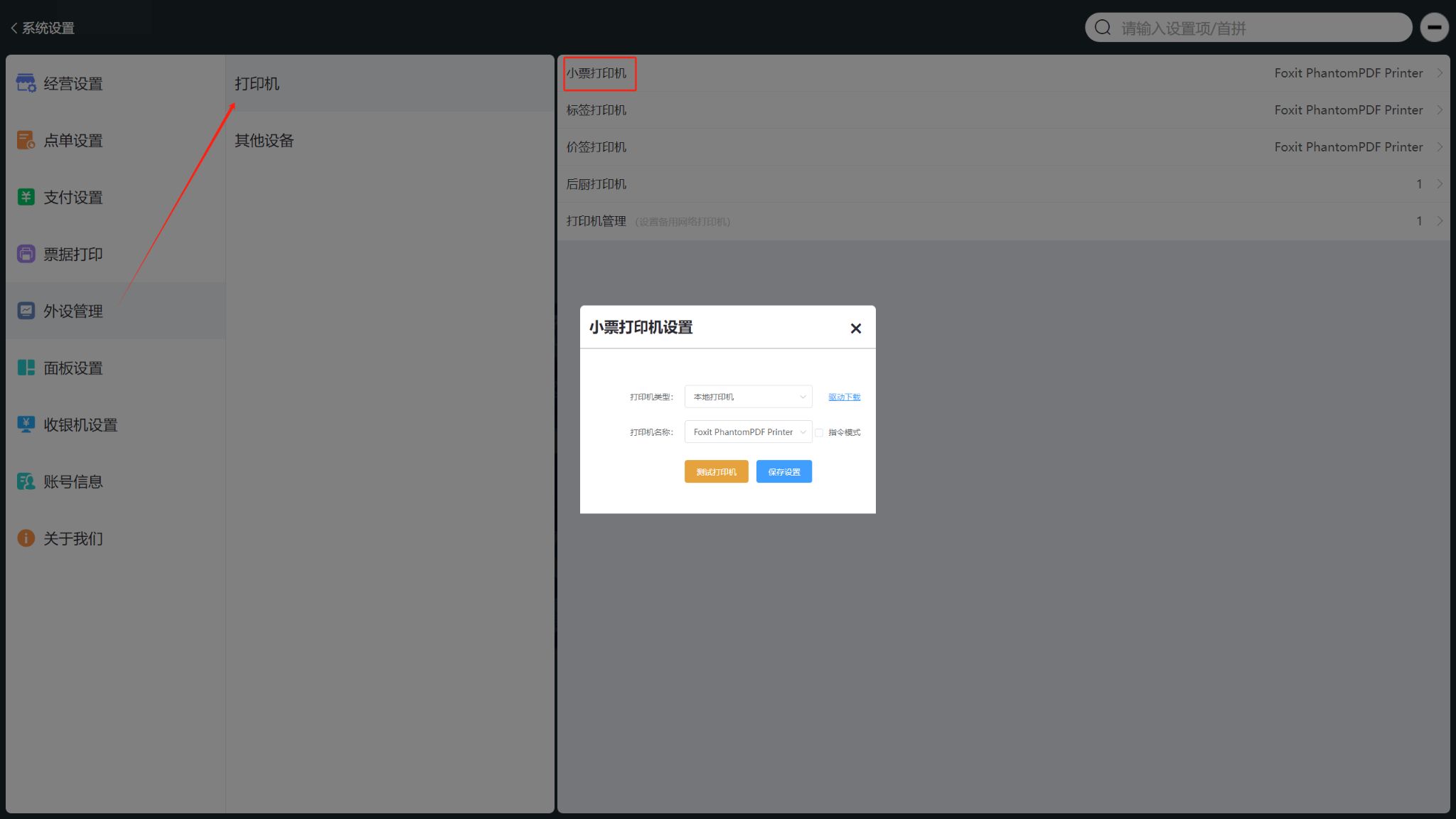
**WIN设置小票机位置如图所示:**进入收银软件系统设置 外部设备---打印机---小票机 选择安装好的驱动
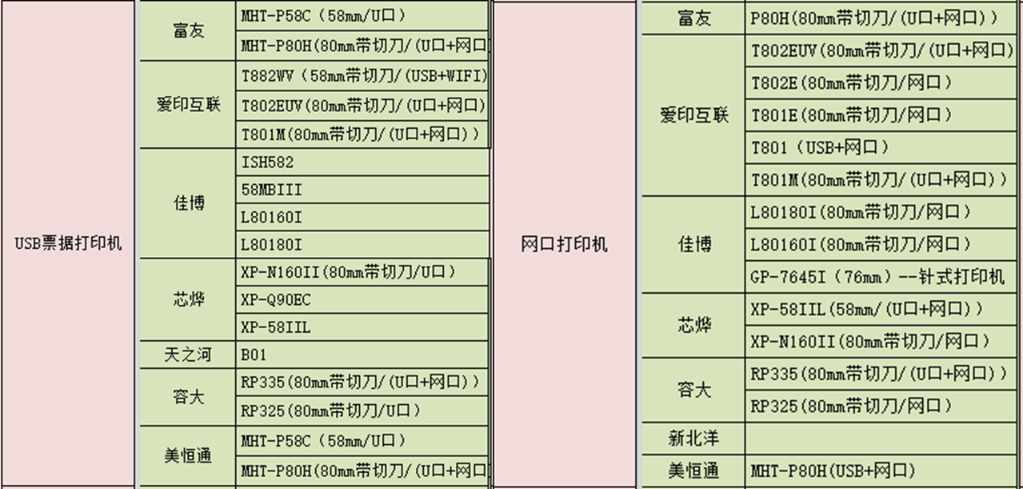
安卓收银机因为是免驱的,所以需要参考适配型号:适配硬件表
 小程序用户点击:硬件适配表
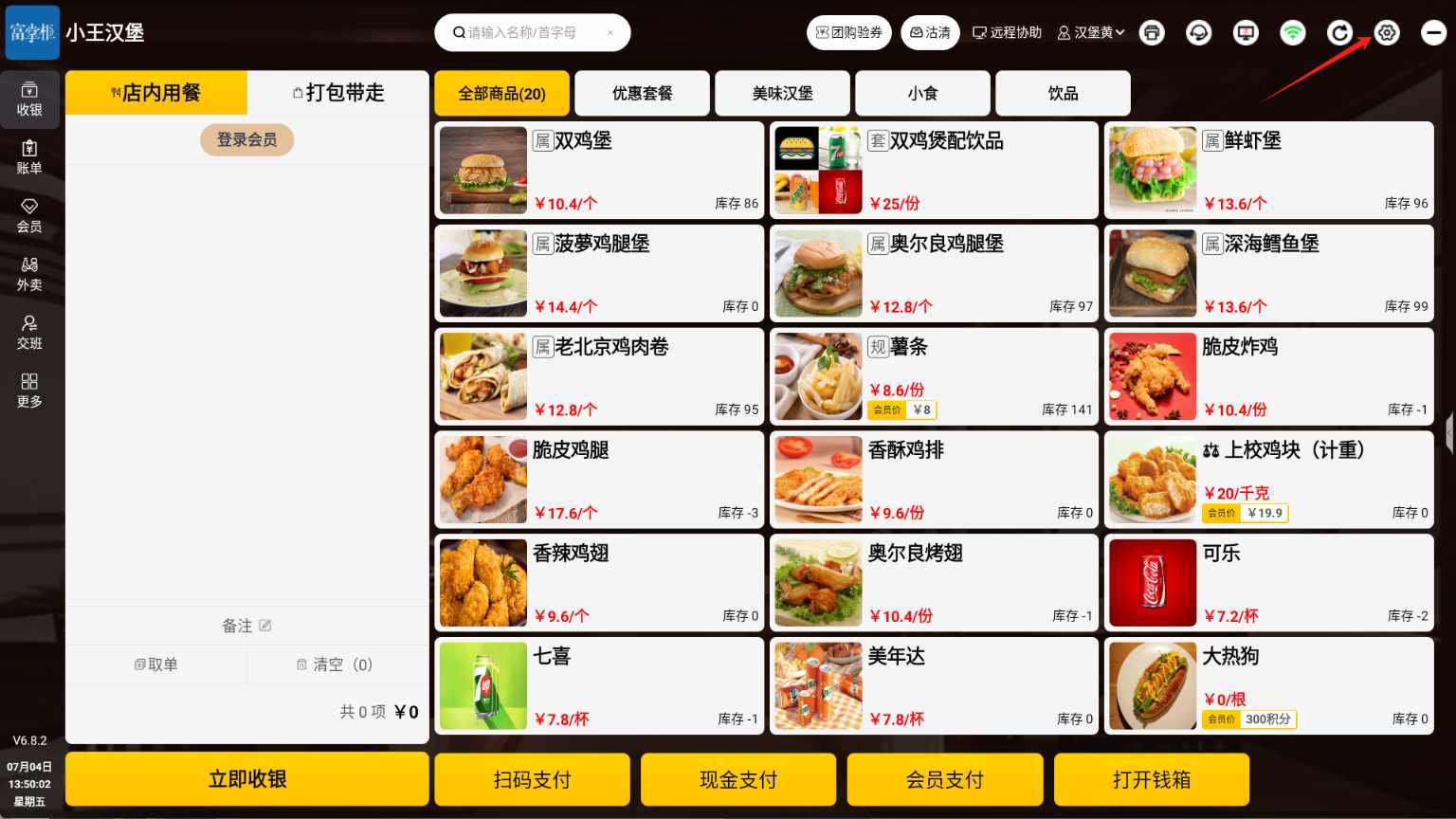
 进入前台设置添加小票机
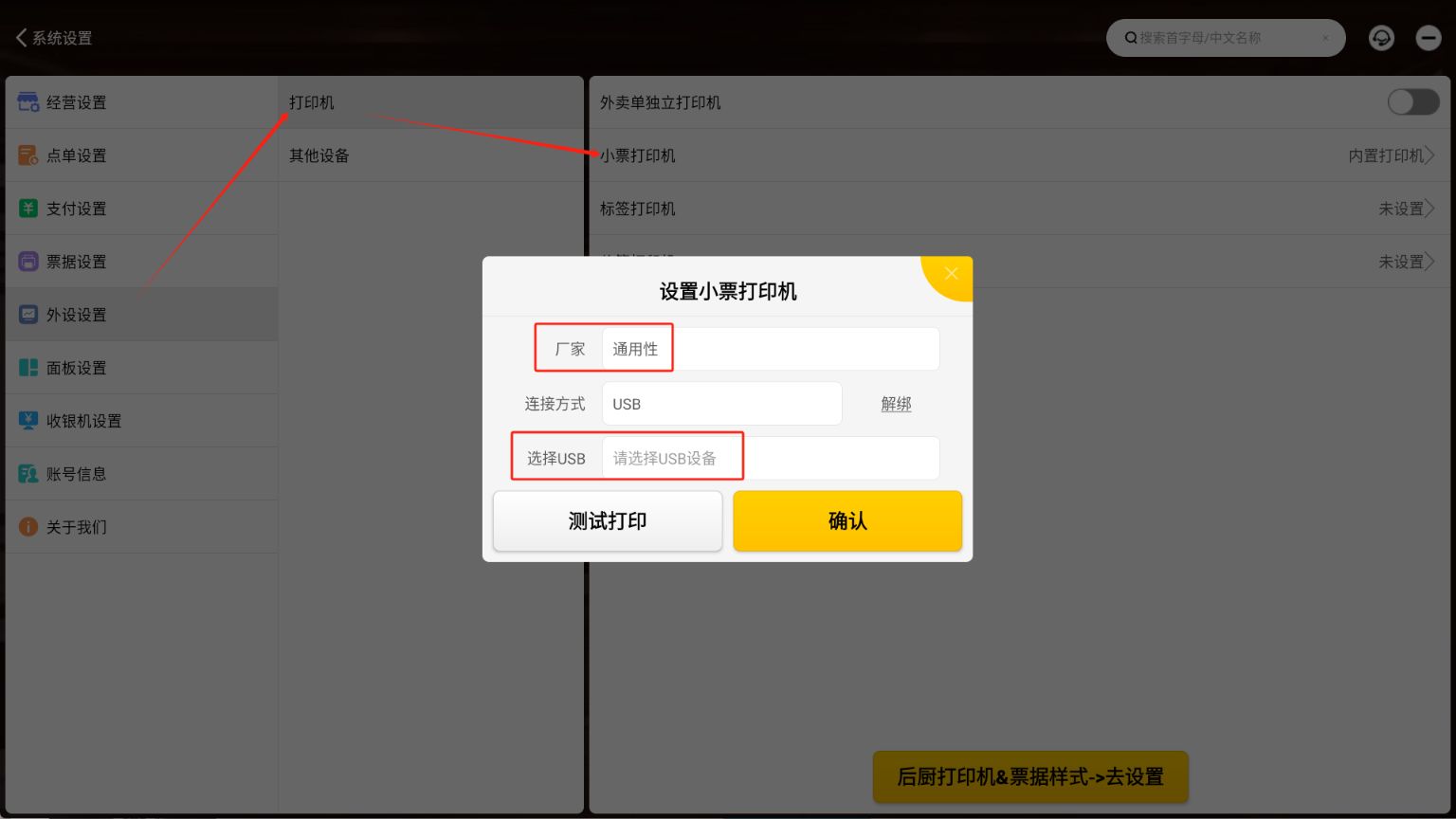
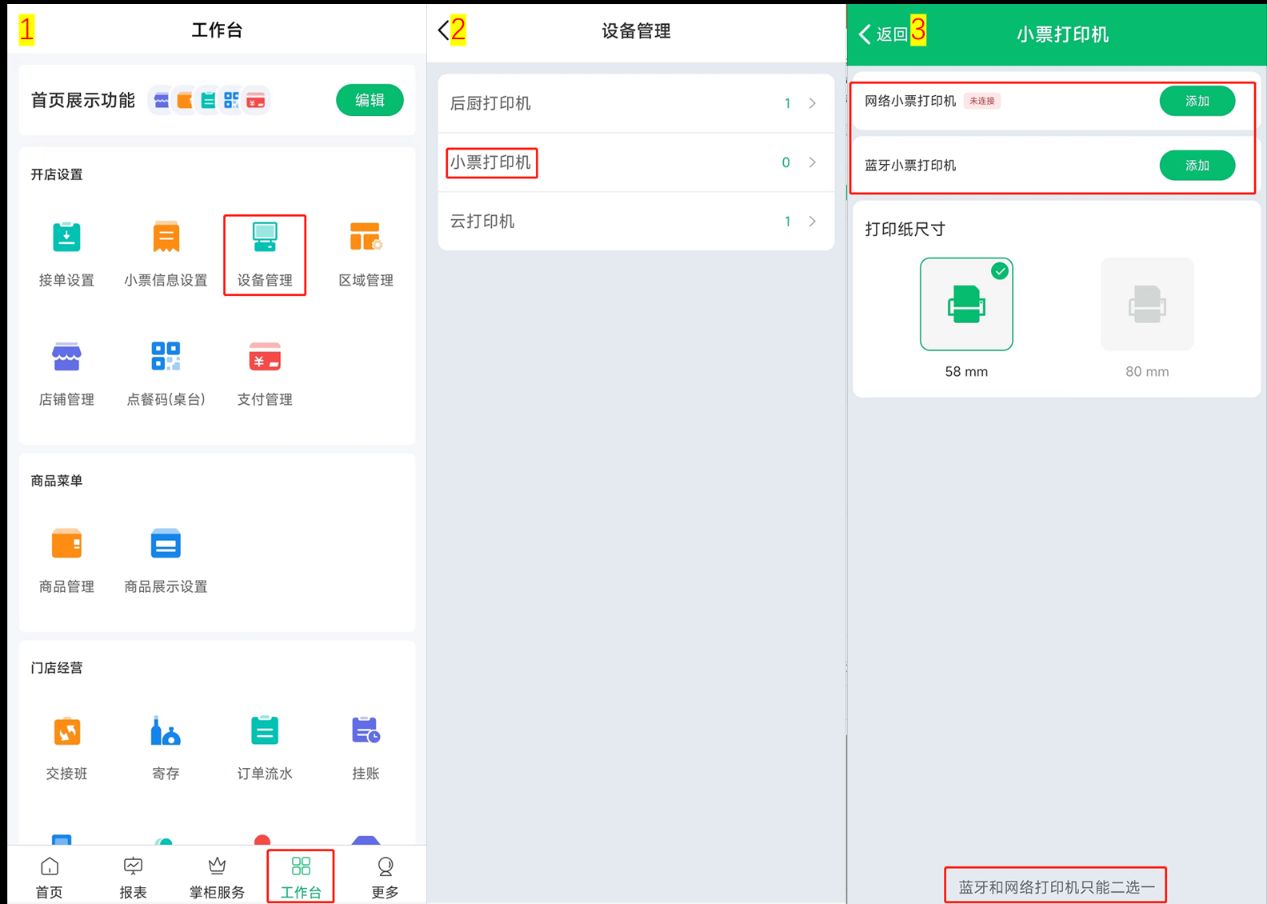
掌中宝
关键词
收银机,掌中宝,小票机,打印机,小票打印机,设置,添加
业务类型
SAAS