
收银机或掌中宝上怎么核销次卡
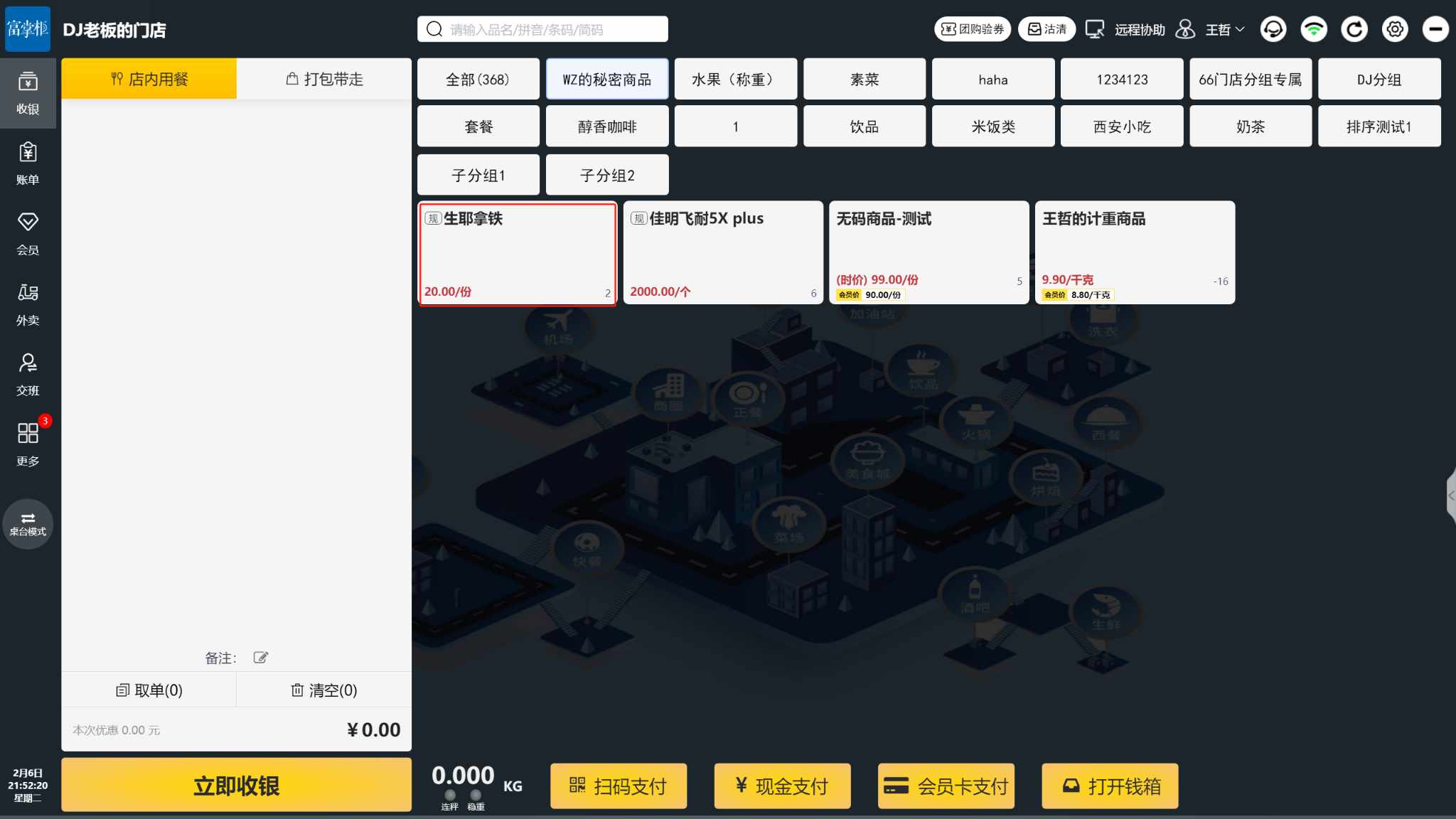
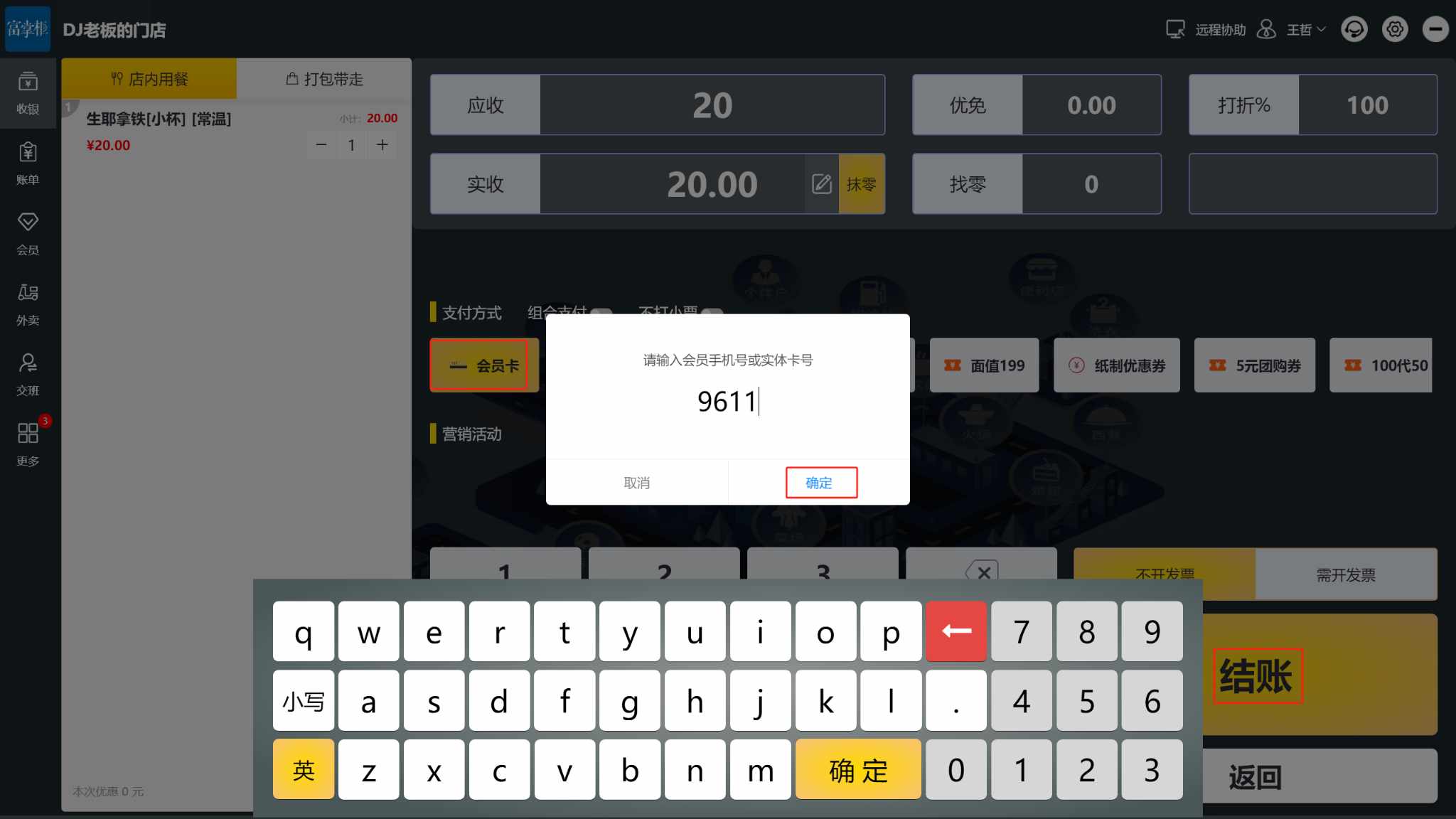
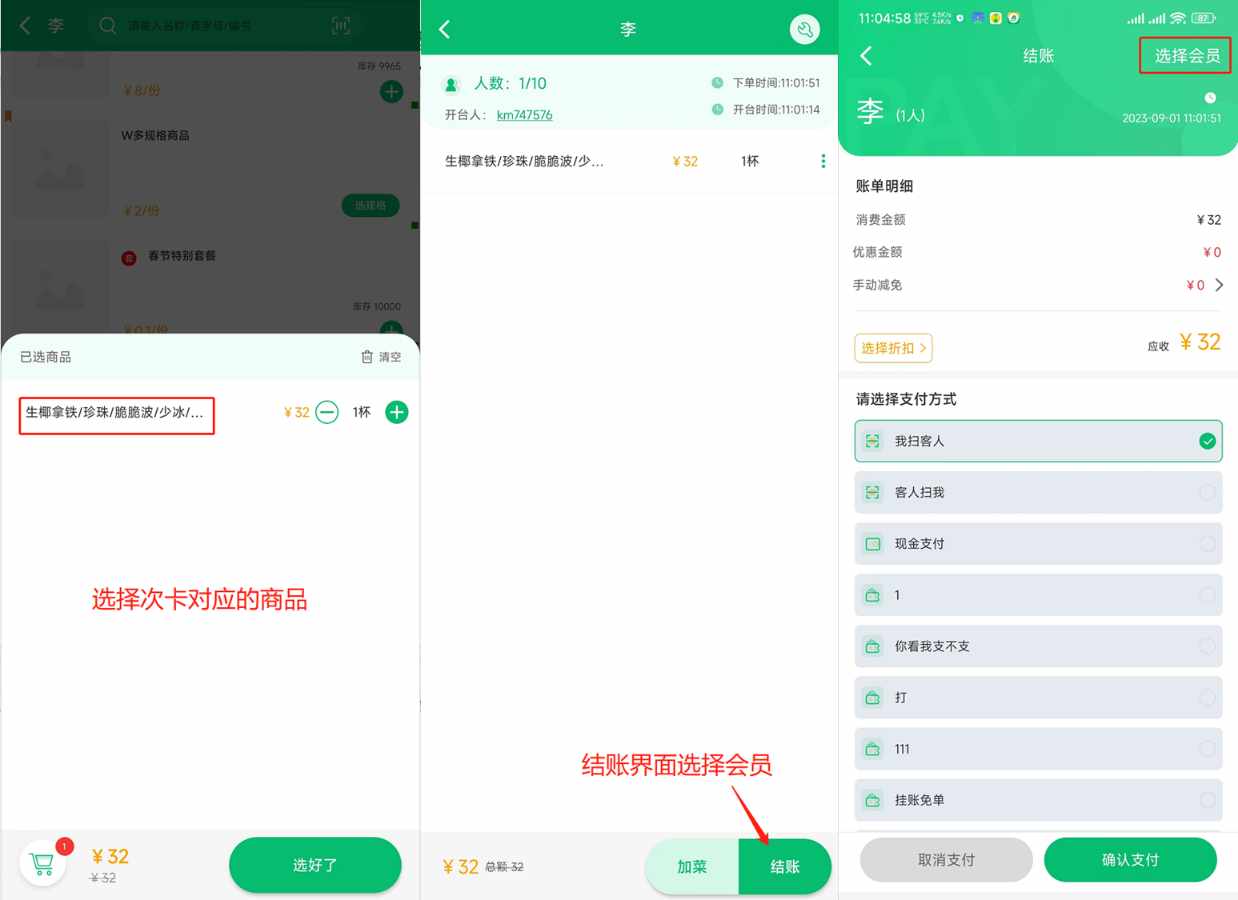
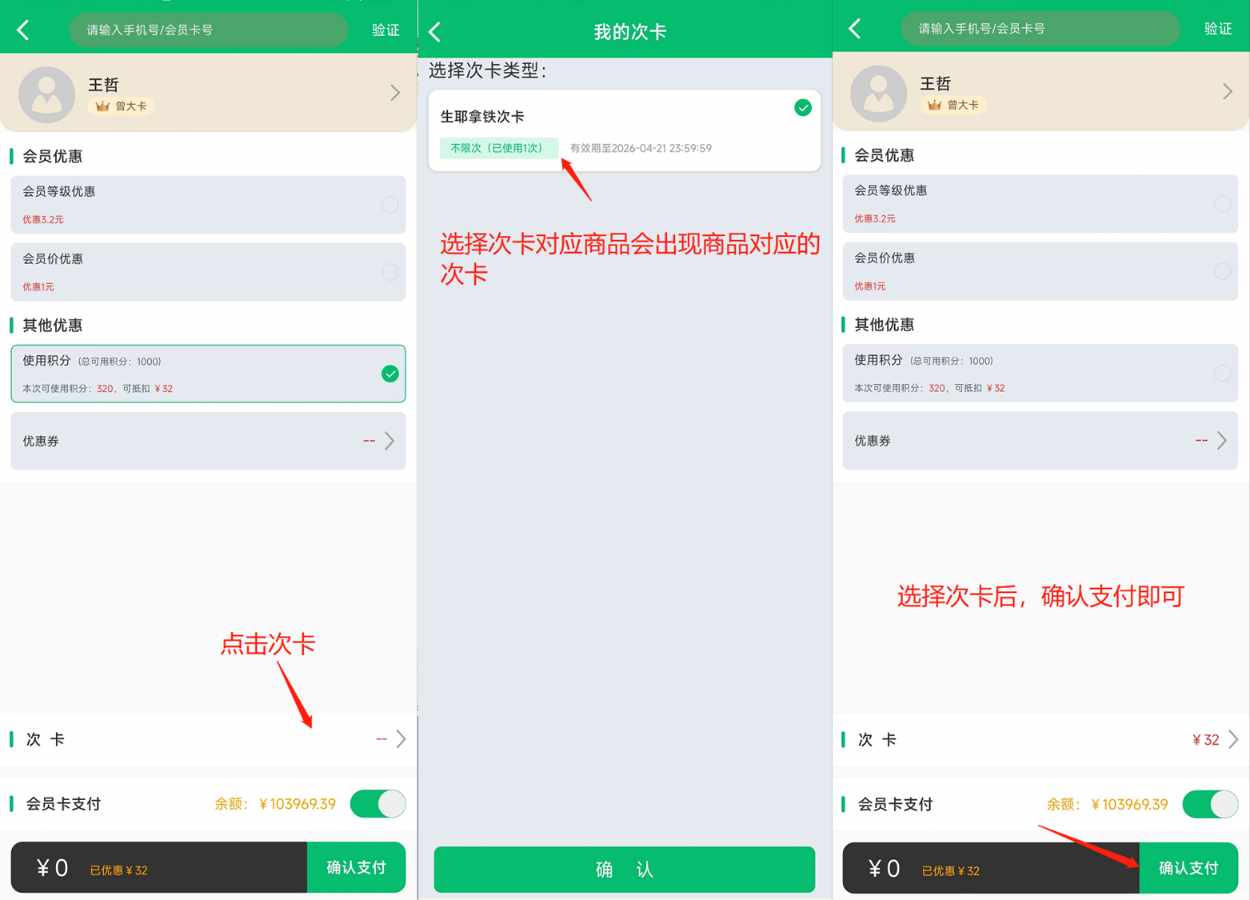
**解答:**建立好次卡后,收银机上选择对应次卡商品,选择会员,选择次卡-核销即可
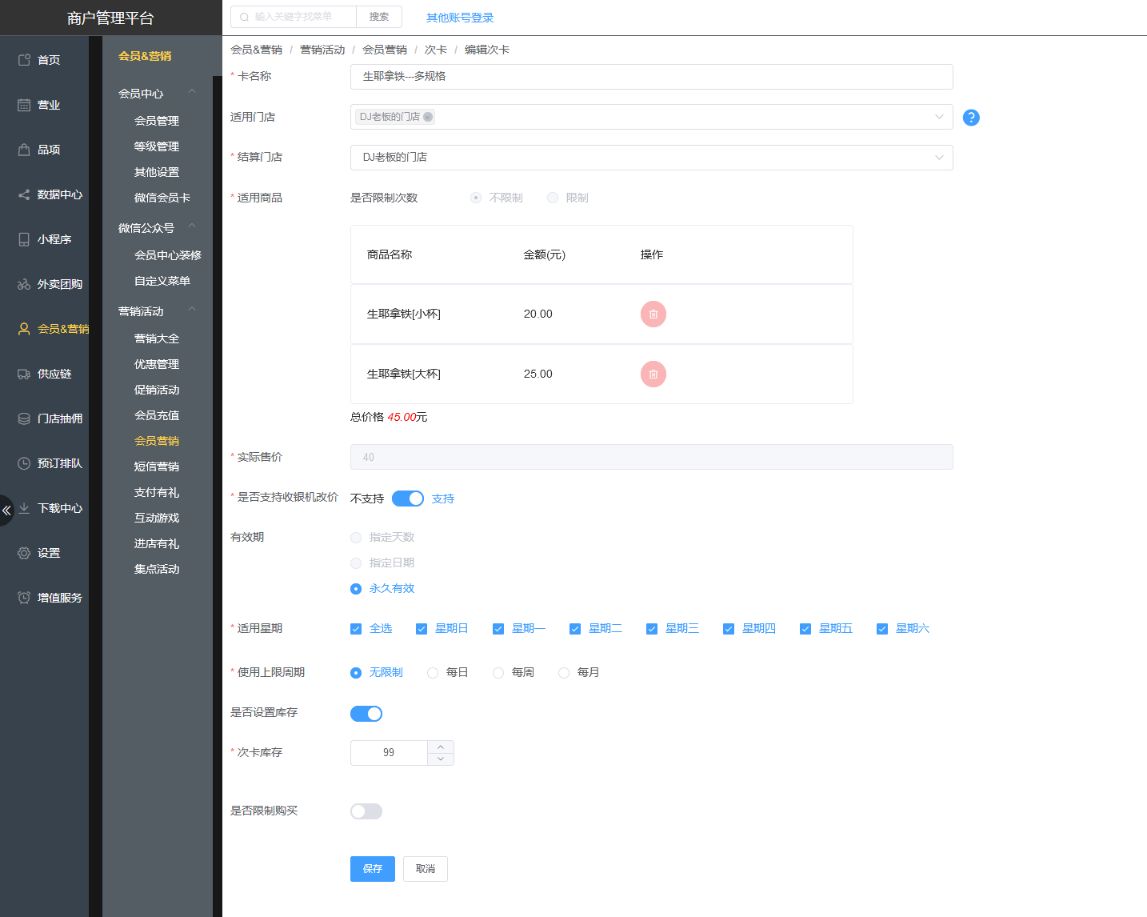
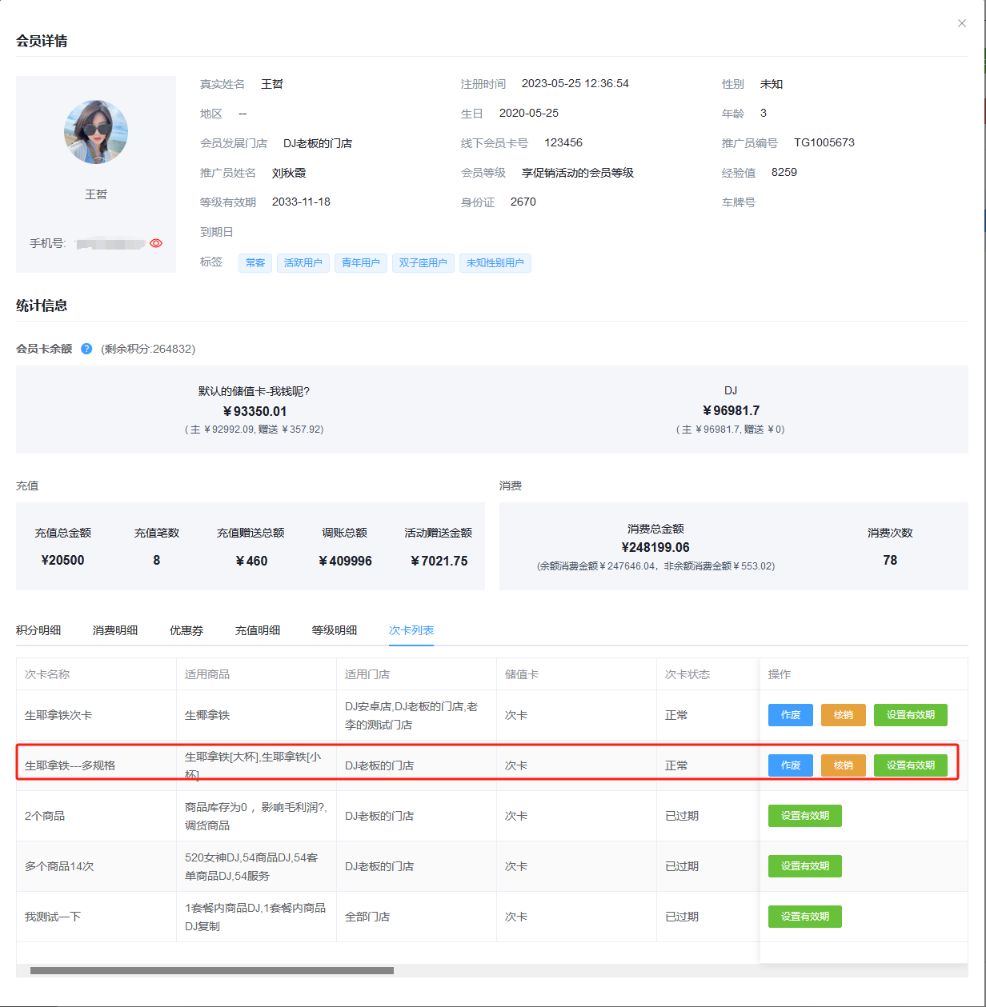
WIN收银机
 ** **
** **
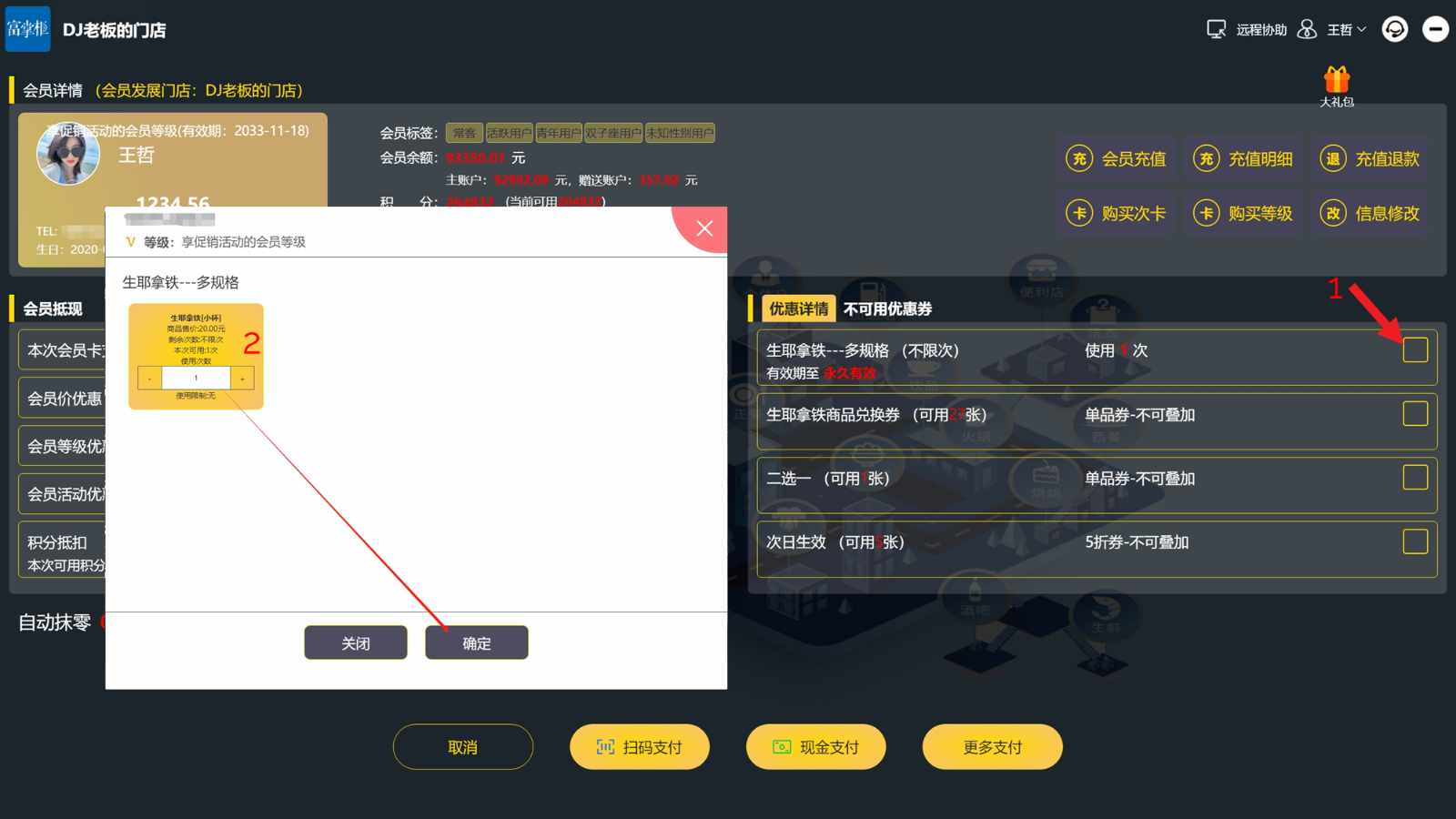
安卓收银机
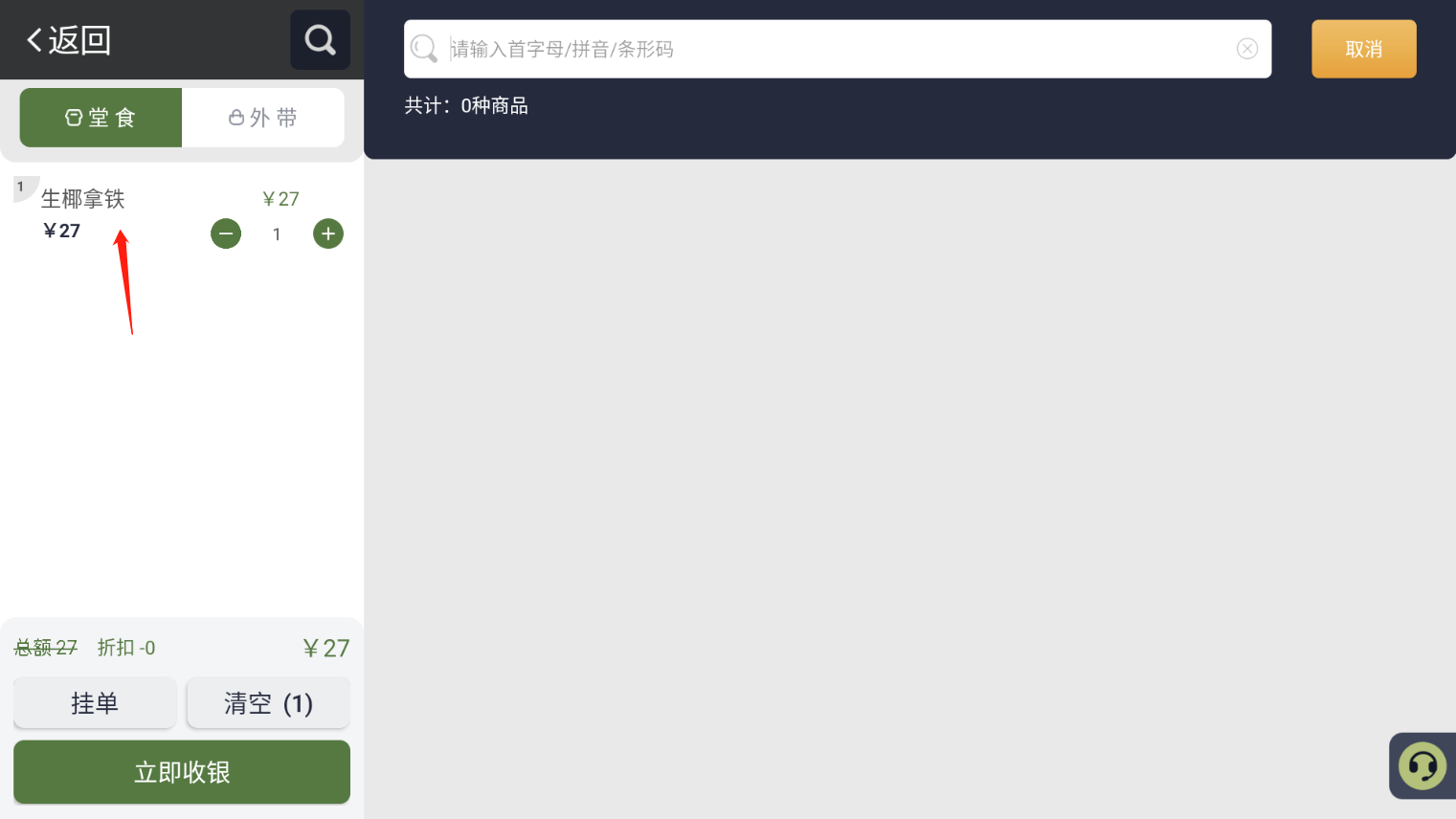
选择次卡对应的商品,立即收银
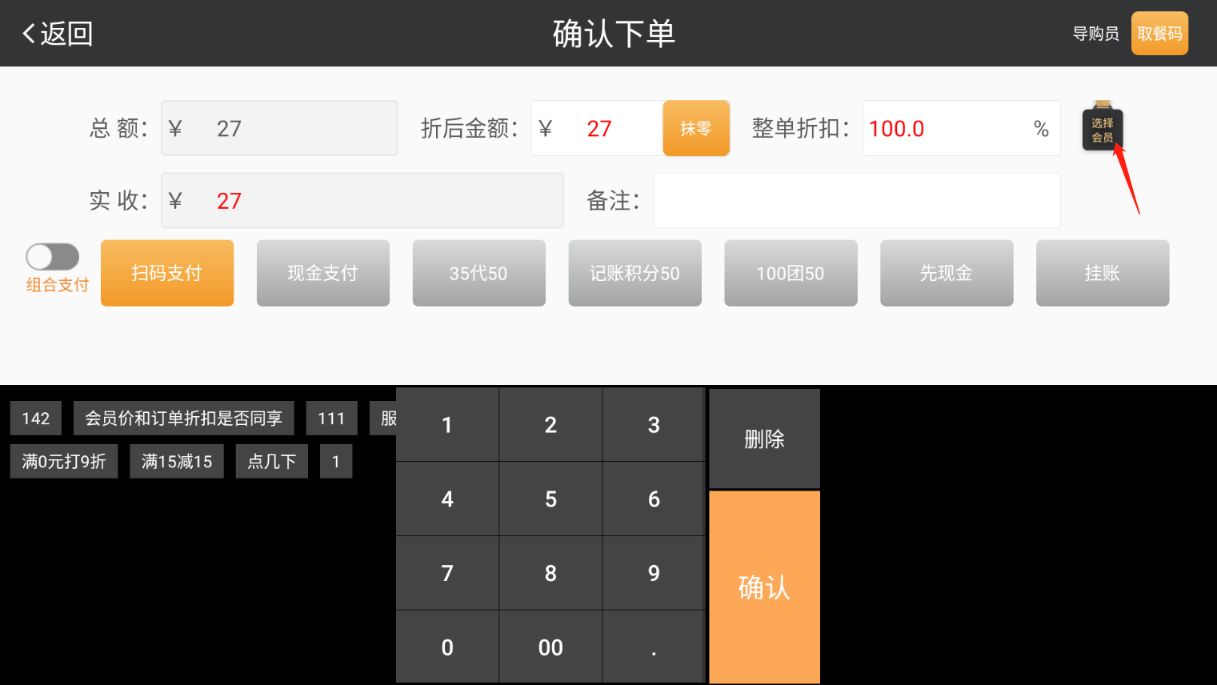
选择会员
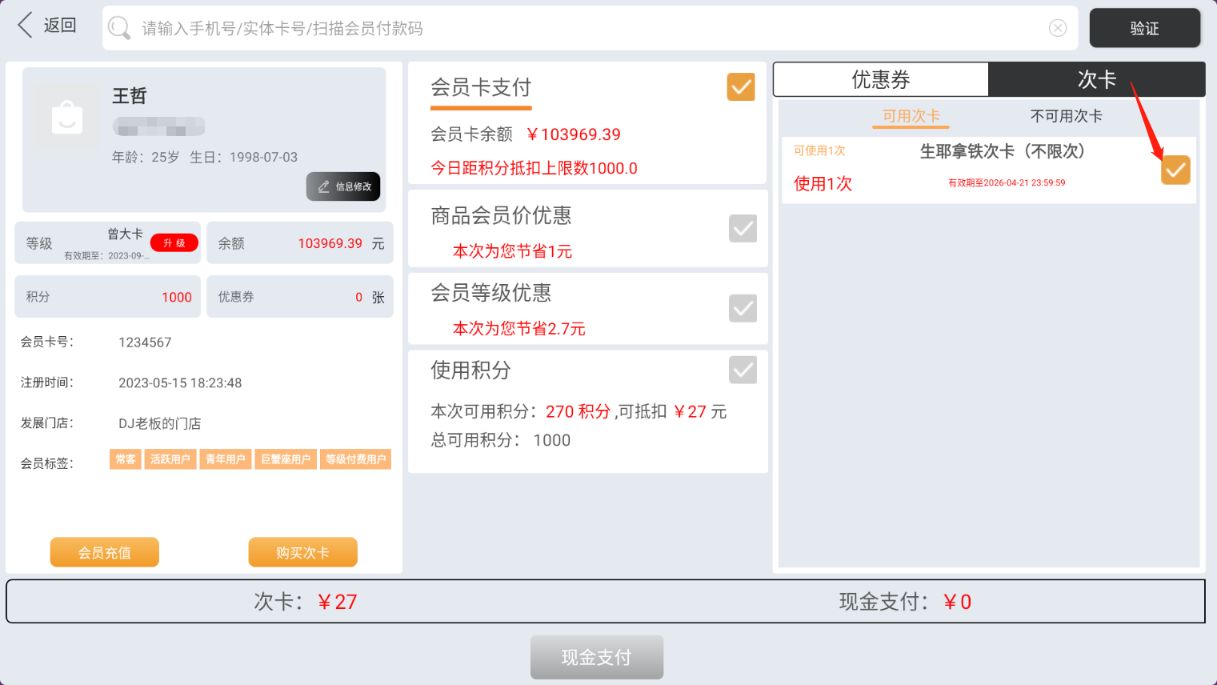
选择次卡,点击现金支付即可
掌中宝
关键词
次卡核销,次卡核销,掌中宝,核销次卡.次卡
业务类型
SAAS
**解答:**建立好次卡后,收银机上选择对应次卡商品,选择会员,选择次卡-核销即可
WIN收银机
** **
安卓收银机
选择次卡对应的商品,立即收银
选择会员
选择次卡,点击现金支付即可
掌中宝
关键词
次卡核销,次卡核销,掌中宝,核销次卡.次卡
业务类型
SAAS